I was invited to do a fun task by my office colleague, Hazel Anderson. She researches synesthesia, and she wanted to induce grapheme-color synesthesia by having participants learn pi using digit-color mapping as one available strategy. So she needed something that could a Word document with pi with an arbitrary number of decimal places. Approximately 40 minutes of the pure joy of structured procrastination and:
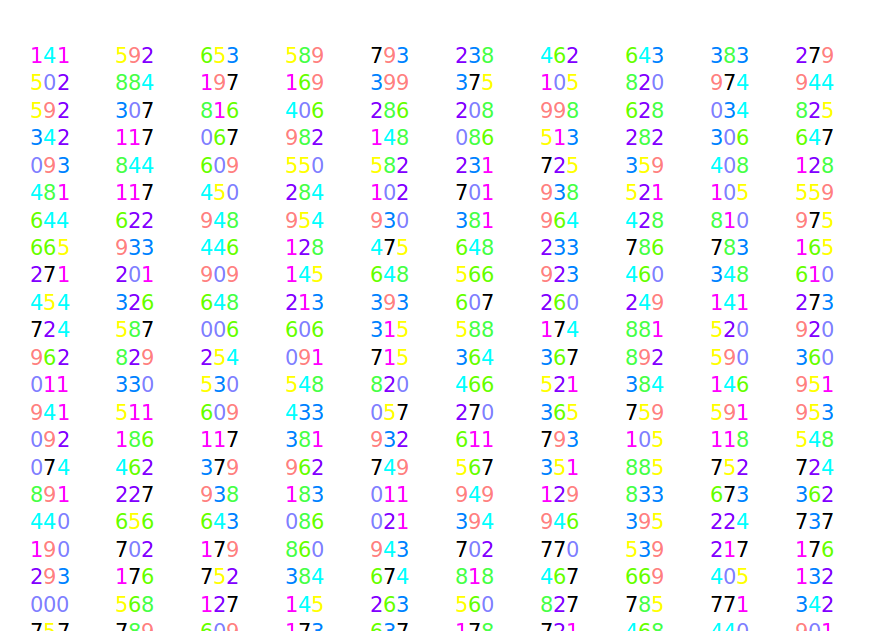
Here’s the python script to generate this beauty:
# Settings here
DIGITS = 5000  # Number of decimal places to print
BLOCK_SIZE = 4  # Number of digits between spaces
BLOCK_SPACING = 4  # Size of space between blocks
GRAPHEME_COLOR_MAPPING = {  # Type in your digit-color mapping
    '0': (128, 128, 255),
    '1': (255, 0, 255),
    '2': (128, 0, 255),
    '3': (0, 128, 255),
    '4': (0, 255, 255),
    '5': (255, 255, 0),
    '6': (100, 255, 0),
    '7': (0, 0, 0),
    '8': (70, 255, 70),
    '9': (255, 128, 128)
}

# Set up document
from docx import Document
from docx.shared import RGBColor
document = Document()
paragraph = document.add_paragraph('')  # Start with an empty text

# Create Pi
from mpmath import mp
mp.dps = DIGITS  # Set number of decimals
pi = str(mp.pi)[2:]  # Get all decimals as (iterable) string

# Add digits to Word document
for i, digit in enumerate(pi):
    # Add spacing between blocks
    if i % BLOCK_SIZE == 0 and i > 0:
        paragraph.add_run(' ' * BLOCK_SPACING)

    # Add colored digit
    run = paragraph.add_run(digit)
    run.font.color.rgb = RGBColor(*GRAPHEME_COLOR_MAPPING[digit])

# Save it!
document.save('pi in colors.docx')